Utilities
Maidenhead locator
Change coordinates into a grid square, or a grid square into coordinates.
The Maidenhead locator changes a location into a grid square, for example IO91wm. It can also change a grid square back into coordinates.
Open the locator
- Select Utilities in the navigation bar.
- Select Maidenhead locator.
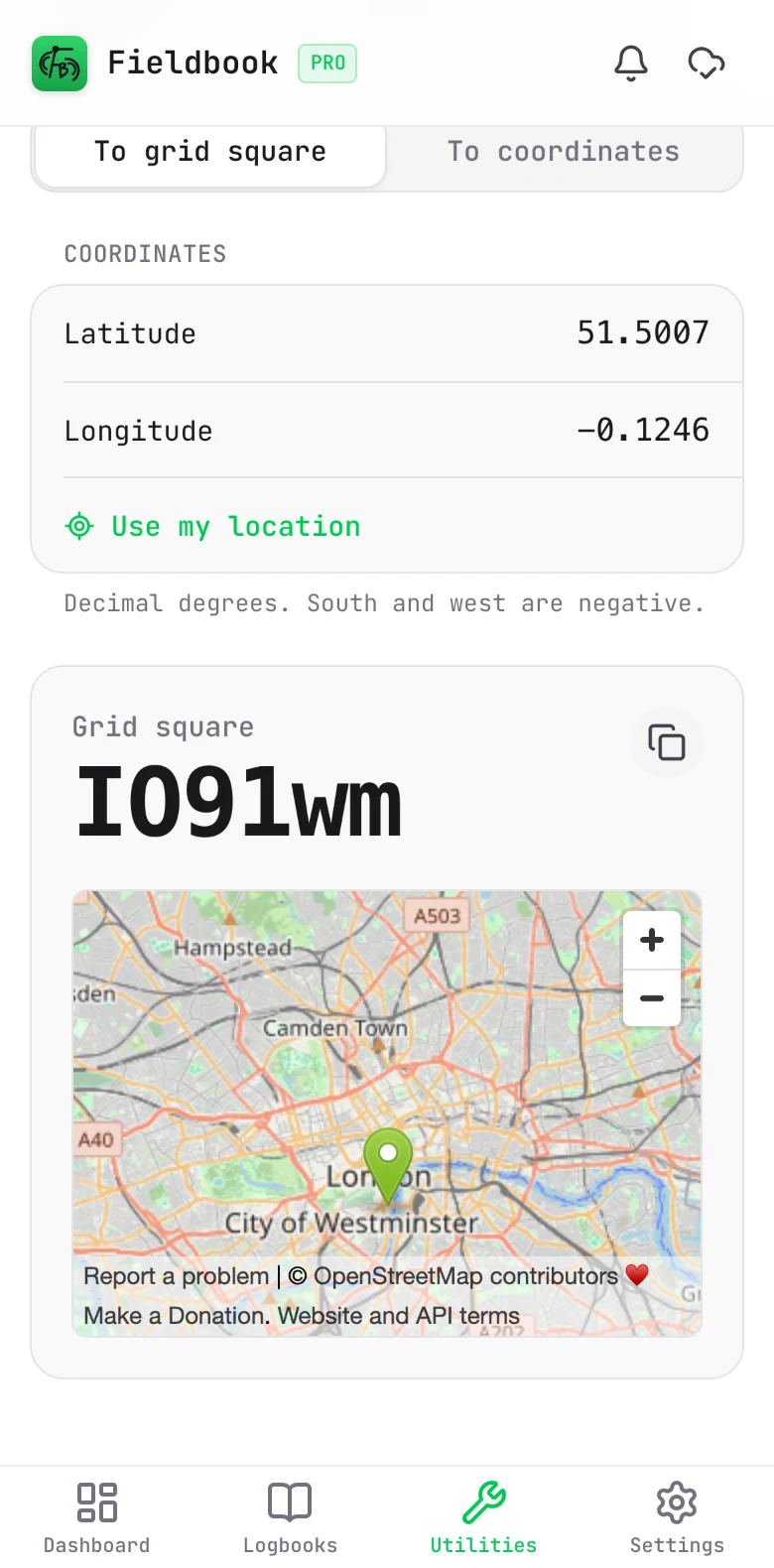
Find your grid square
- Select To grid square.
- Type the Latitude and Longitude in decimal degrees. South and west are negative.
- Alternatively, select Use my location.
The grid square shows below, with a map of the location. To copy the grid square, select the copy button.
Find the coordinates of a grid square
- Select To coordinates.
- Type the grid square. It can have 2, 4, 6 or 8 characters.
The coordinates of the centre of the grid square show below, with a map.
To set your grid square in a logbook, you do not need this page. Select Grid square in the station setup, then select the locate button.