Logging
QRZ lookups
Get the name and location of each operator from QRZ.com, free.
When you type a callsign, Fieldbook looks it up on QRZ.com. It shows the name and location of the operator below the callsign. When you log the contact, it adds their name, grid square and address.
QRZ lookups are free on every plan. You do not need your own QRZ.com account.
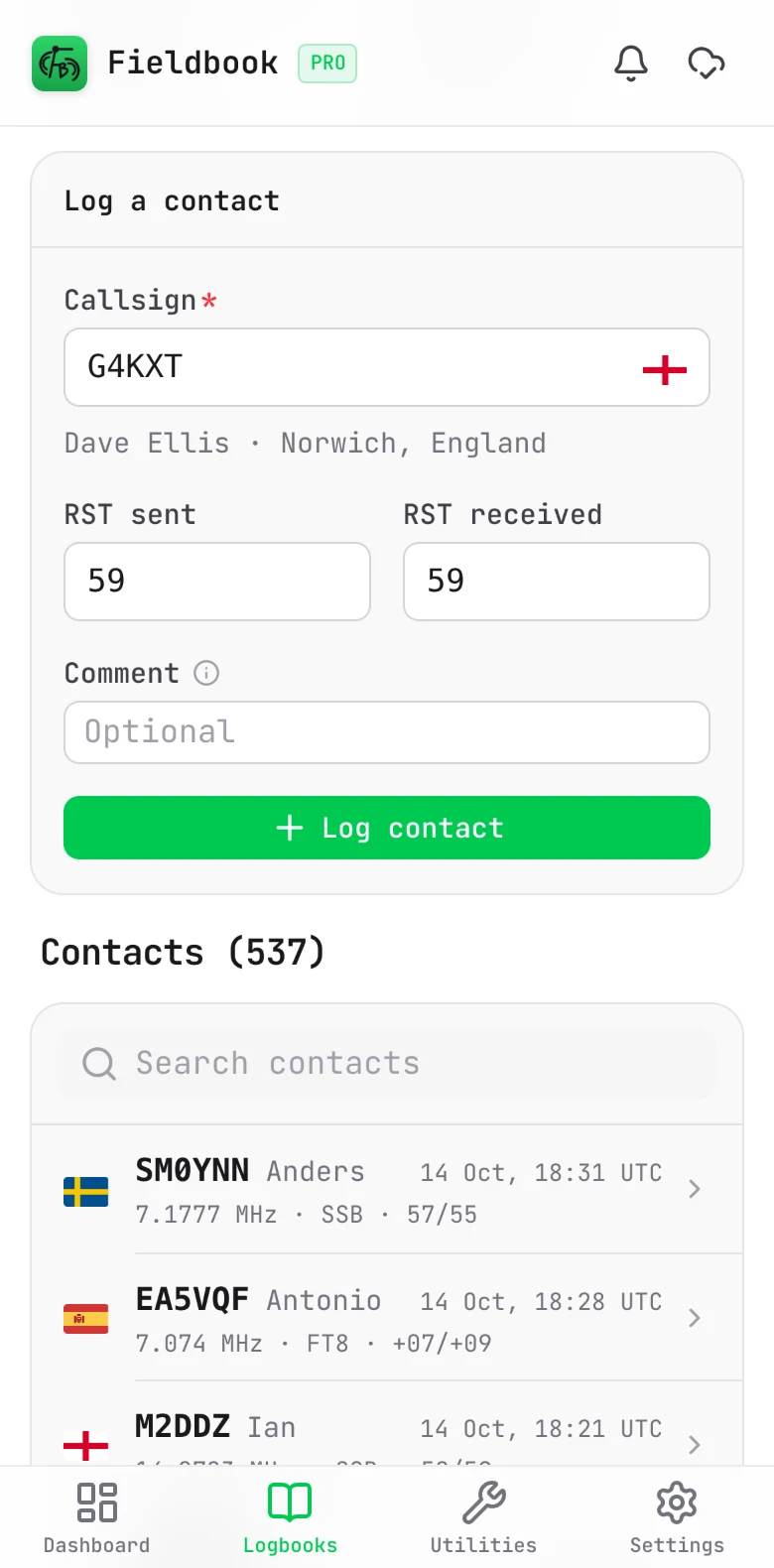
How a lookup operates
- The lookup starts when you stop typing, after 3 or more characters.
- A spinner shows in the callsign field while Fieldbook looks up the callsign.
- If QRZ has no record for the callsign, Fieldbook shows nothing. You can still log the contact.
Add QRZ details to existing contacts
Use this for contacts that you logged offline or imported from another app.
- Open the logbook.
- Open the logbook menu and select Enrich contacts via QRZ.
- Read how many contacts Fieldbook will look up.
- Select Start.
By default, Fieldbook looks up only the contacts that have no name. To look up every contact, select Re-check contacts that already have QRZ data.
Fieldbook does the lookups in the background. You get a notification when it is done.
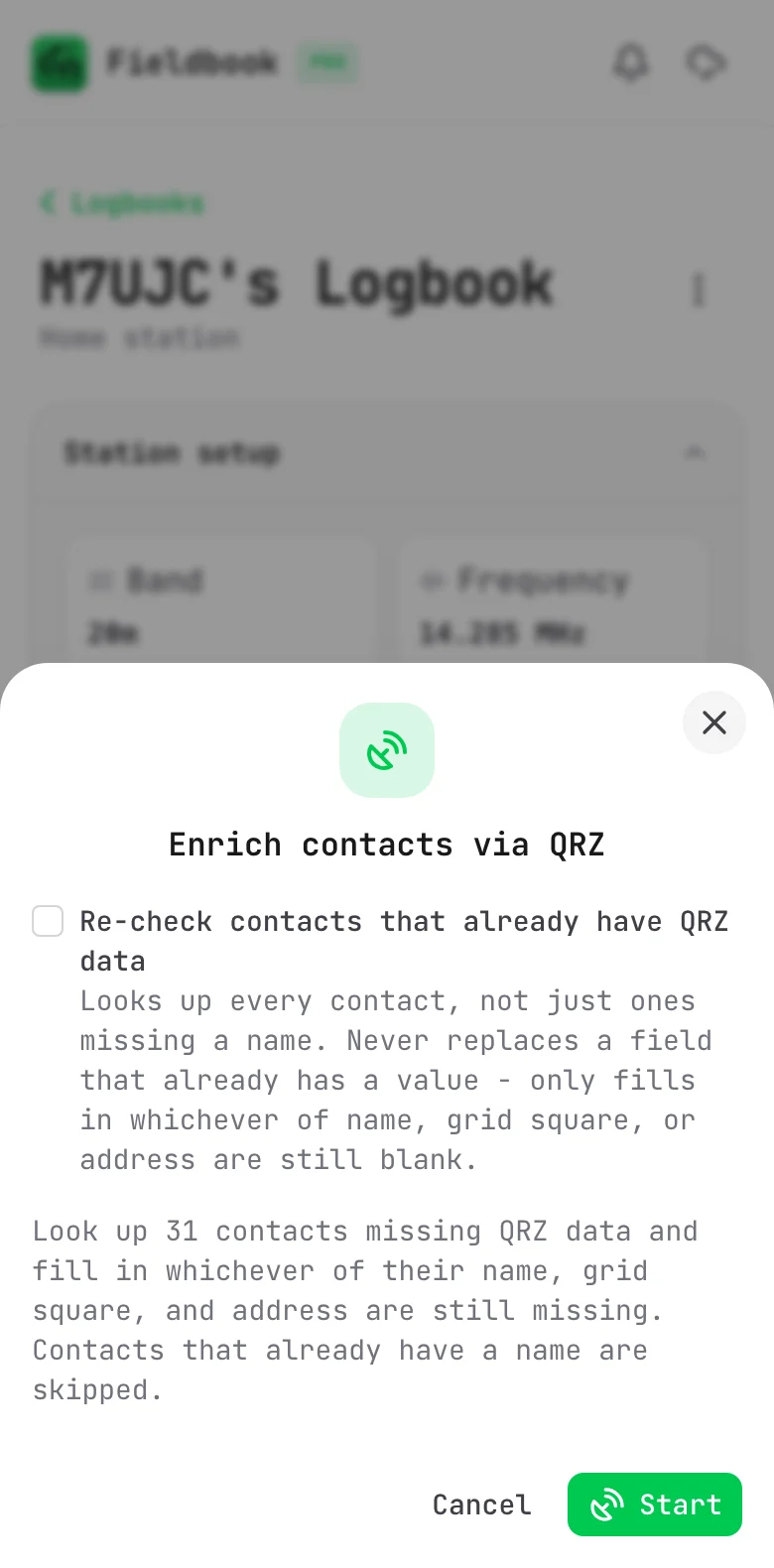
Enrichment never replaces a value that a contact already has. It fills in only the name, grid square and address fields that are empty.
Use your own QRZ.com account
If you have a QRZ.com subscription, you can connect your own account.
- Go to Settings > QRZ.
- In the Callsign lookups section, type your QRZ username and password.
- Select Connect my QRZ account.
Fieldbook checks your details with QRZ before it saves them. It encrypts your password and keeps it on the Fieldbook server, not in your browser. To disconnect, select Remove in the same section.
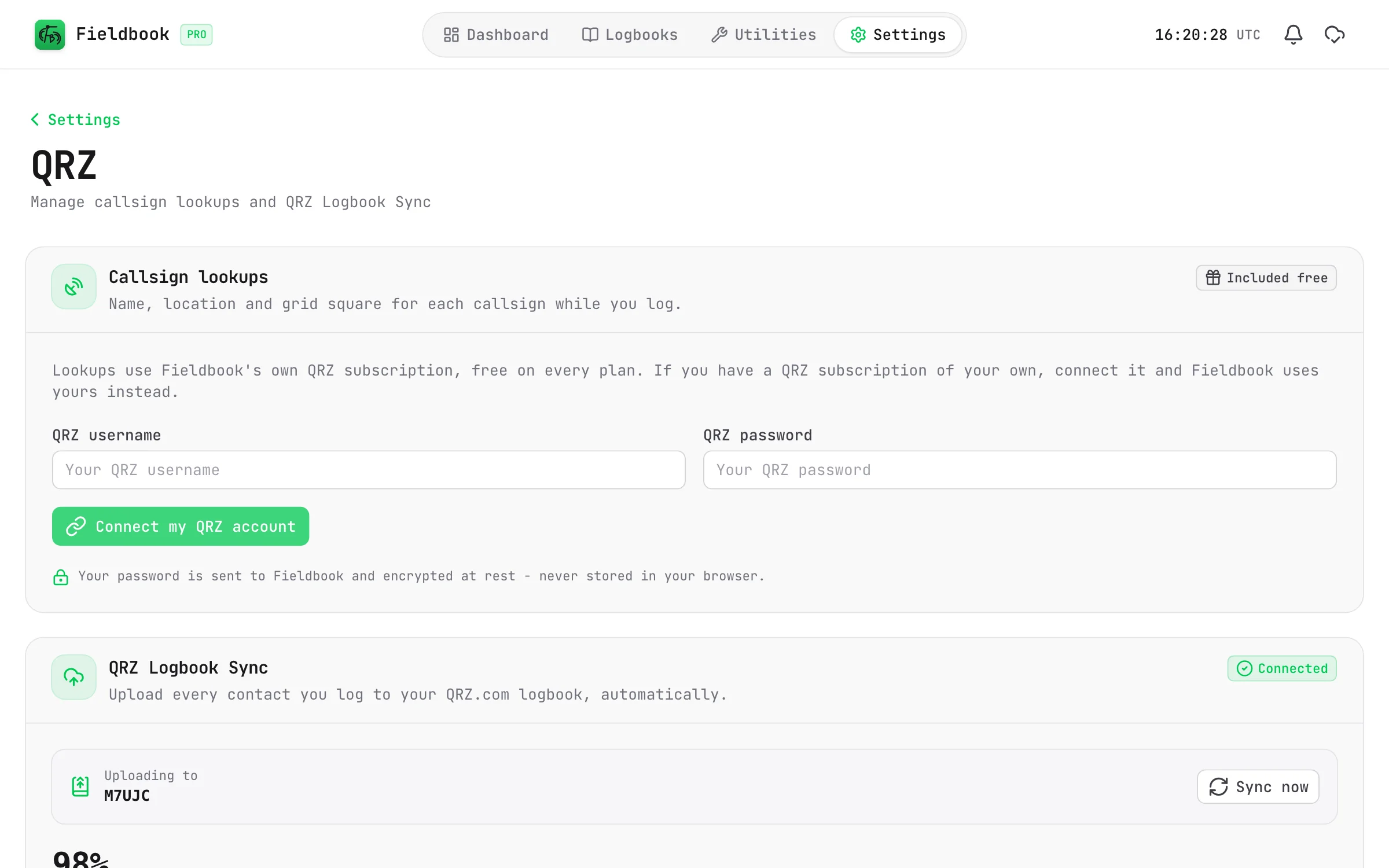
Upload your log to QRZ
With Fieldbook Pro and a paid QRZ.com subscription, QRZ Logbook Sync can also upload your contacts to your QRZ.com logbook. Refer to QRZ Logbook Sync.