Logging
Bulk edit
Change the station details of many contacts at the same time.
Use bulk edit to correct the same mistake in many contacts. For example, you logged a full evening with the wrong power or the wrong callsign.
Edit many contacts
- Open the logbook.
- Open the logbook menu and select Bulk edit.
- In Fields to update, select each field to change and set its new value.
- In Select contacts, select the contacts to change. Use Search contacts to find them, or select all of them with the box at the top.
- Select Apply to (number) contacts.
A progress bar shows while Fieldbook updates the contacts. To stop, select Stop.
Fieldbook
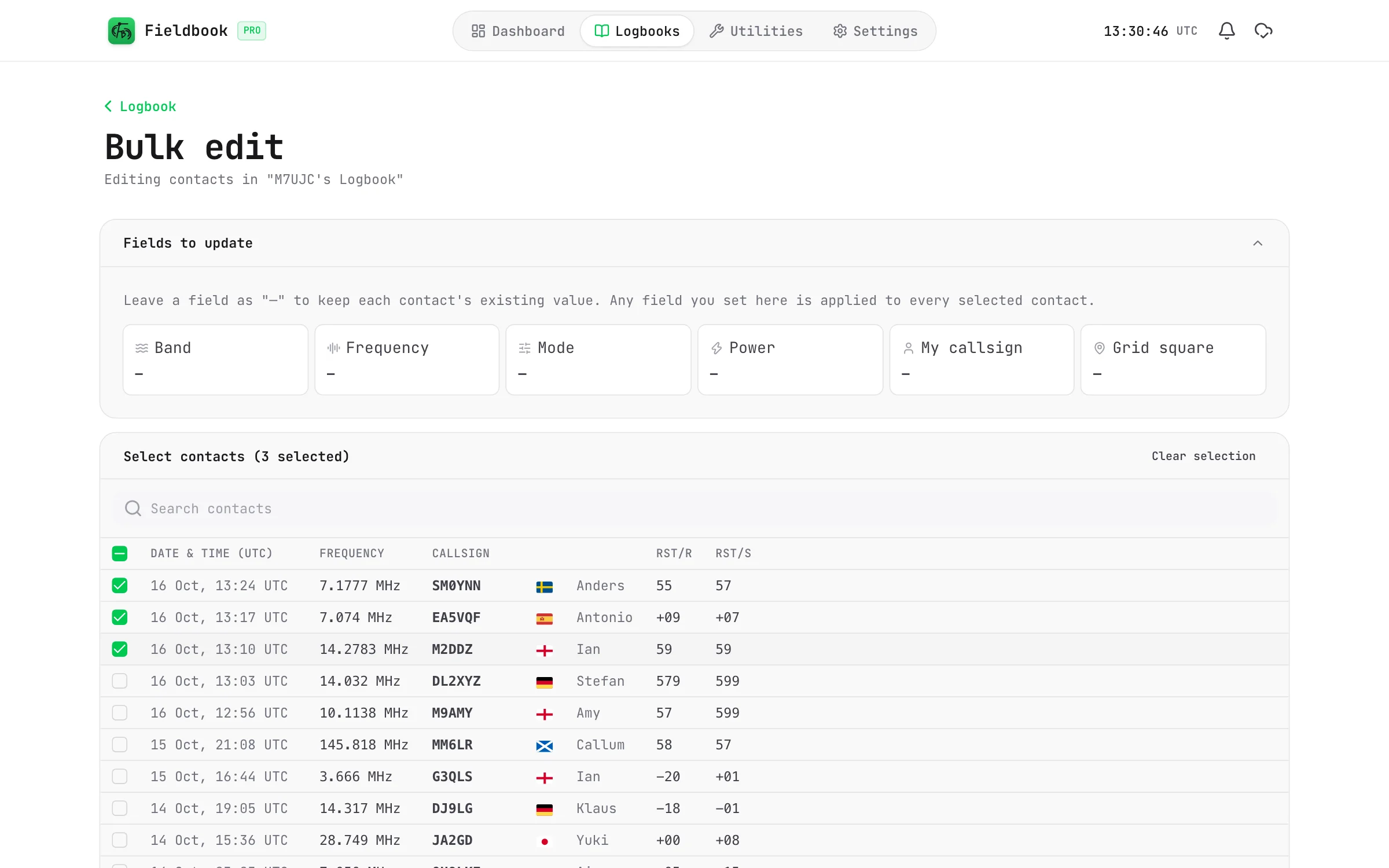
Fields that you can change
- Band
- Frequency
- Mode and submode
- Power
- My callsign
- Grid square
- My park (in a POTA logbook)
A field that shows "—" does not change. Each contact keeps its own value for that field.
If you change a contact by mistake, you can go back to its earlier version with Pro. Refer to Version history.