Logging
Logbooks
Organise your contacts into logbooks, and pin, edit, merge or delete them.
Each contact is in one logbook. You can make as many logbooks as you want, on every plan. To make your first logbook, refer to Create a logbook.
Find a logbook
The Logbooks page shows all of your logbooks.
- To find a logbook, type its name or description in Search logbooks.
- To keep a logbook at the top of the list, select its star. Pinned logbooks always show first.
Templates
A template adds fields to a logbook for a type of operation.
- General: a standard logbook, with no extra fields.
- POTA: adds your park and the park of the other station. Refer to Parks on the Air.
To change the template, open the logbook menu and select Edit logbook.
Icon and colour
Each logbook has an icon in your list of logbooks. You can change the icon and its colour, so that you can find a logbook quickly.
- Open the logbook menu and select Edit logbook.
- Select the icon at the top of Details.
- Select a Colour.
- Select an Icon.
- Select Done.
- Select Save.
To go back to the template icon and the standard green, select Reset to default, then Done.
The logbook menu
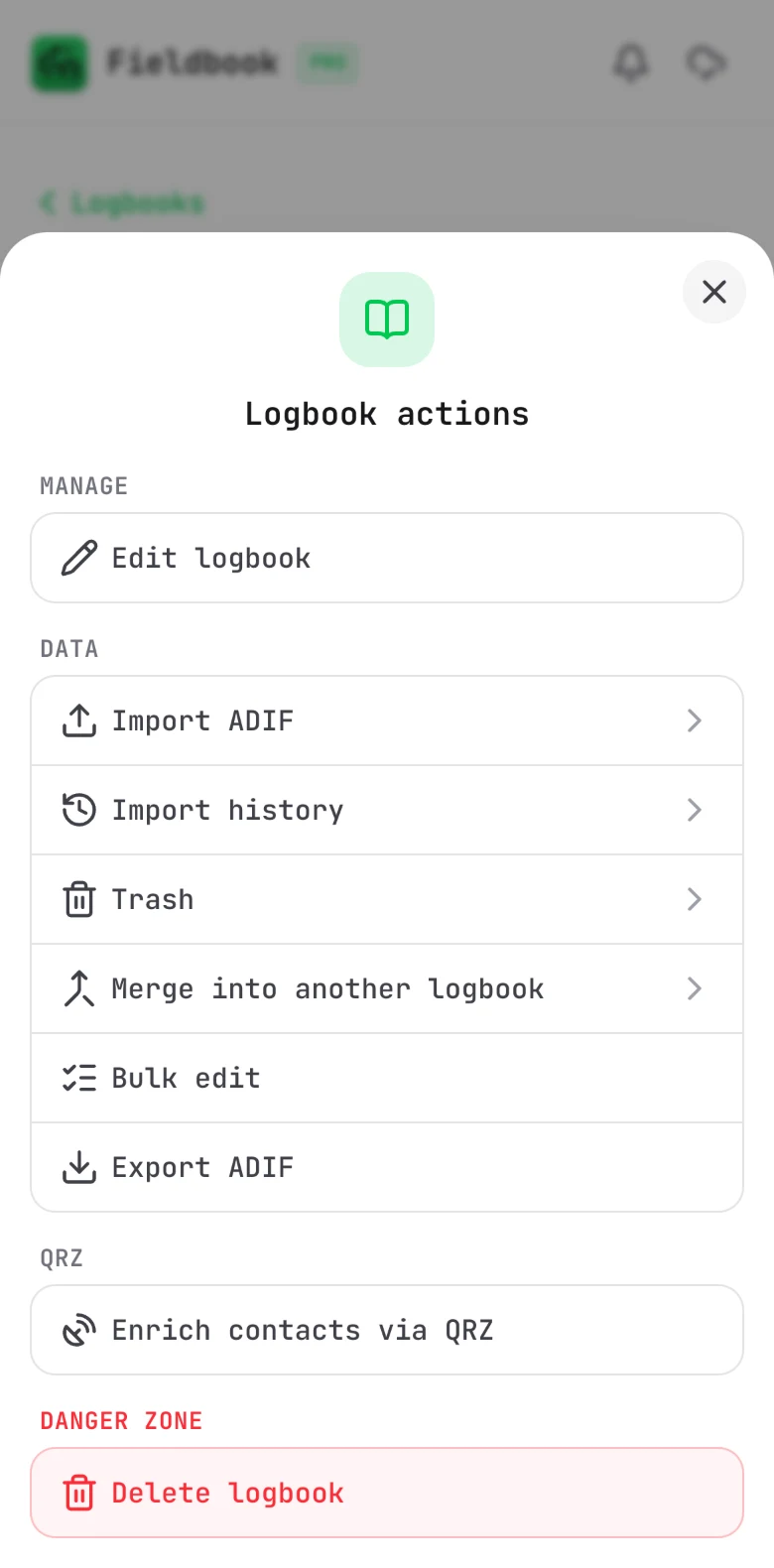
Open a logbook, then select the menu button (three dots) beside its name. The menu has all of the tools for that logbook:
- Edit logbook: change the icon, colour, name, template, description and station setup.
- Import ADIF and Import history. Refer to Import ADIF.
- Trash. Refer to Trash.
- Merge into another logbook: refer to the procedure below.
- Bulk edit. Refer to Bulk edit.
- Export ADIF. Refer to Export and backup.
- Enrich contacts via QRZ. Refer to QRZ lookups.
- Delete logbook.
Merge two logbooks
Use this when you have two logbooks for the same thing.
- Open the logbook that you want to remove.
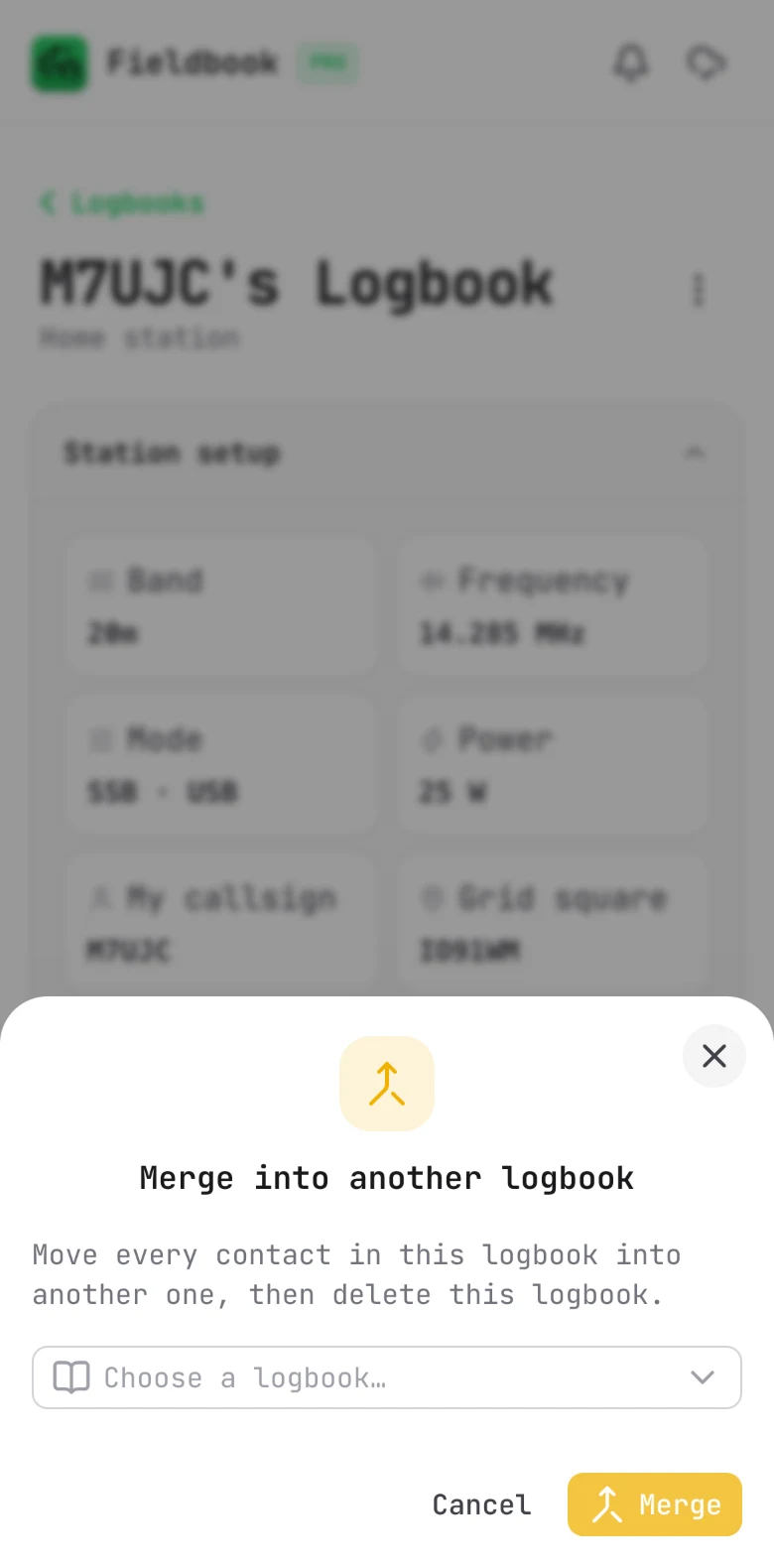
- Open the logbook menu and select Merge into another logbook.
- Select the logbook to move the contacts into.
- Read the message, then select Merge.
Fieldbook moves every contact into the other logbook. It then deletes the logbook that you merged.
Delete a logbook
- Open the logbook menu and select Delete logbook.
- Select the button to confirm.